 EN
EN Polski
 Deutsch
 Nederlands
 Français
 Español
 Italiano
 Português
 Română
 Svenska
 Dansk
Dansk العربية
 Čeština
 QC photos
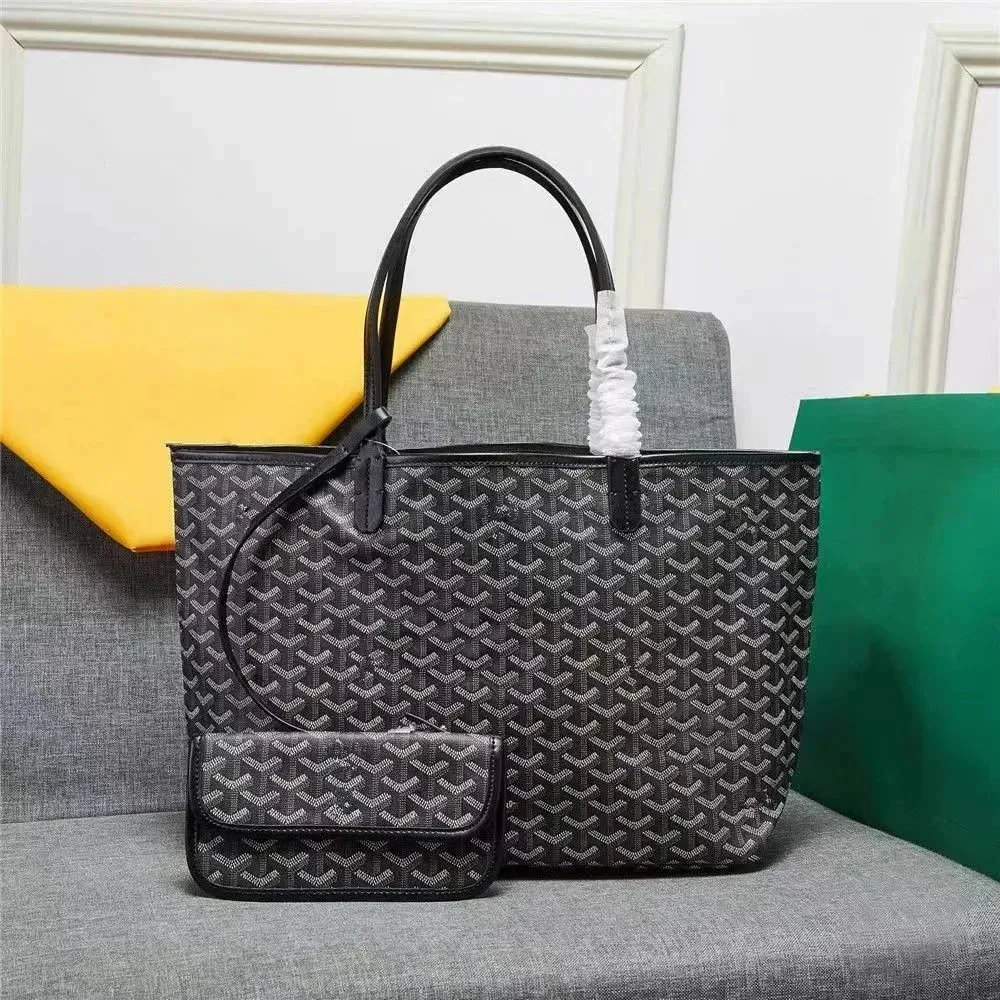
Goyard Saint Louis Black Tote Bag with Coin Purse
$14.12 ref. USD
Explore 7,945 items in Bags & Backpacks, including totes, shoulder bags, card holders and wallets. Start with what you want to carry, then compare the opening, straps and included pieces. Browse reference prices and available QC photos here; choose the exact option and confirm its current details on Kakobuy.
Browse all 7,945 items in Bags & Backpacks12 selected finds across the collection. Explore the full catalog for more styles, colors and reference prices.
QC photos$14.12 ref. USD
 QC photos
$44.68 ref. USD
 QC photos
$44.68 ref. USD
 QC photos
$16.94 ref. USD
 QC photos
$24.66 ref. USD
 QC photos
$22.52 ref. USD
 QC photos
$6.01 ref. USD
 QC photos
$18.92 ref. USD
 QC photos
$1.06 ref. USD
 QC photos
$25.36 ref. USD
 QC photos
$16.26 ref. USD
 QC photos
$9.83 ref. USD
Reference item prices in USD; shipping and service costs are separate. QC photos from earlier orders may show another style, color or size. Confirm current price, size and availability on Kakobuy.
Lay out your usual essentials before choosing a shape. A phone and a few cards call for a different comparison from a laptop, its charger and a water bottle. Use the guide below to narrow your choice, then open the product photos to check the parts that matter to you.
| Carry style | What to compare |
|---|---|
| Totes & larger everyday bags | Start with the items you carry together. Compare the base, opening and handle drop, then decide whether you need a closure or an internal pocket to keep smaller items separate. |
| Backpacks | For carrying on both shoulders, compare the strap adjustment, back panel and access to the main compartment. If you carry a laptop, check the usable sleeve and opening dimensions with its case included. |
| Shoulder & crossbody bags | For a smaller daily carry, compare the opening with your phone and wallet. Check whether the strap can reach your preferred position and whether the selected option includes that strap. |
| Card holders, wallets & passport holders | Choose around what you actually carry: cards alone, folded notes, coins or a passport. Check both sides and the interior; a slim card holder and a closing wallet organize those items differently. |
For a tote, ask for the top opening, base dimensions and an interior view. A wide top can narrow toward the base, and a pouch does not tell you whether there is a separate laptop sleeve. For a backpack, inspect the rear straps and their attachment points, then check the actual compartment you plan to use. A large outer bag can still have a narrow opening or a small internal sleeve.
The pink Guess shoulder bag has a curved top edge, while the yellow Nike crossbody bag has an angled shape and a broad adjustable strap. Check where the opening sits when the bag is worn, whether the strap detaches, and whether its shortest and longest settings suit the position you want.
A small bag may fit your phone only diagonally, leaving less room for a wallet. Compare the phone with its case on, and include the space needed to slide it through the opening. If you want to wear the bag over a coat, compare the strap with a bag you already wear that way before selecting the option.
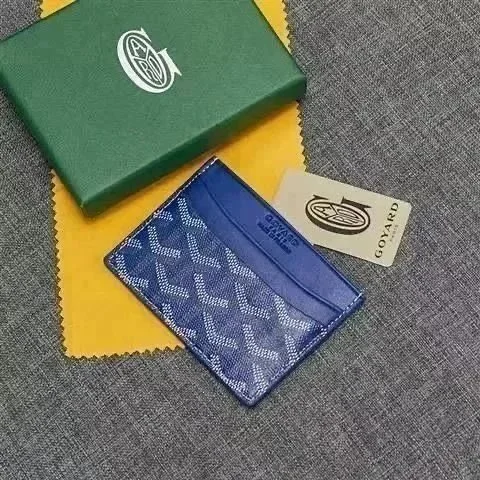
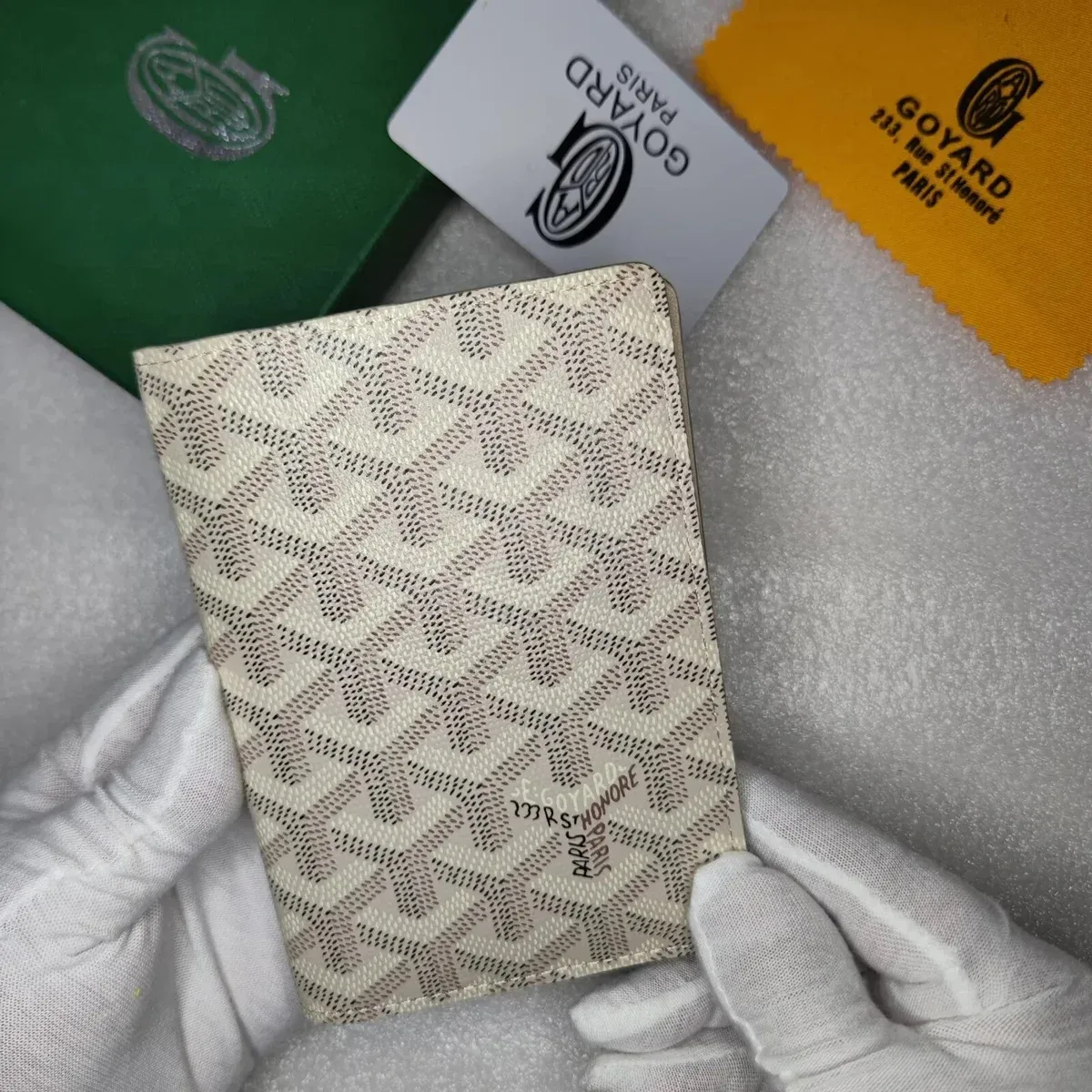
The grey Goyard card holder shows open card slots; the beige patterned passport holder has a folded cover. Decide whether you need quick access to a few cards or an enclosed space for a larger document. Ask for an open interior view and slot count before assuming that either piece has a coin pocket or room for unfolded notes.
For a wallet or passport holder, compare its closed size with the pocket or bag where you will keep it, then check the usable inner dimensions. A product shown beside a box does not establish the size or what is included in the purchase.
The pink Guess shoulder bag lists “29*6*18” as its size option. That field does not state the unit or which number is width, depth or height. Ask for those definitions before comparing it with another bag; the numbers alone do not establish what fits inside.
For a laptop: measure the actual device in its case. A screen size such as 14 inches does not give its outside width, height or thickness. Confirm the compartment and opening measurements before deciding whether the bag suits it.
For the pink Guess option, start with: “For the pink 29*6*18 option, what unit and measuring direction does each number use? Are these outside dimensions? Please show the usable opening and the internal compartment with both ruler endpoints visible.” Add the dimensions of your phone with its case on and ask whether it can pass through the opening and sit inside with the closure fastened.
If you also carry a wallet or charger, show their dimensions and intended arrangement in the same request. A reply showing each object separately does not establish that they fit together. Keep any unanswered opening or compartment dimension in your note before choosing the bag. The QC decision checklist helps you separate an unclear view from a visible mismatch.
Use these earlier-order QC references to plan your checks. Confirm the selected option and inspect your own order before shipping.
MaisonLooks CDN · Shared listing reference; exact style match unverified.
Recorded QC: · usfans
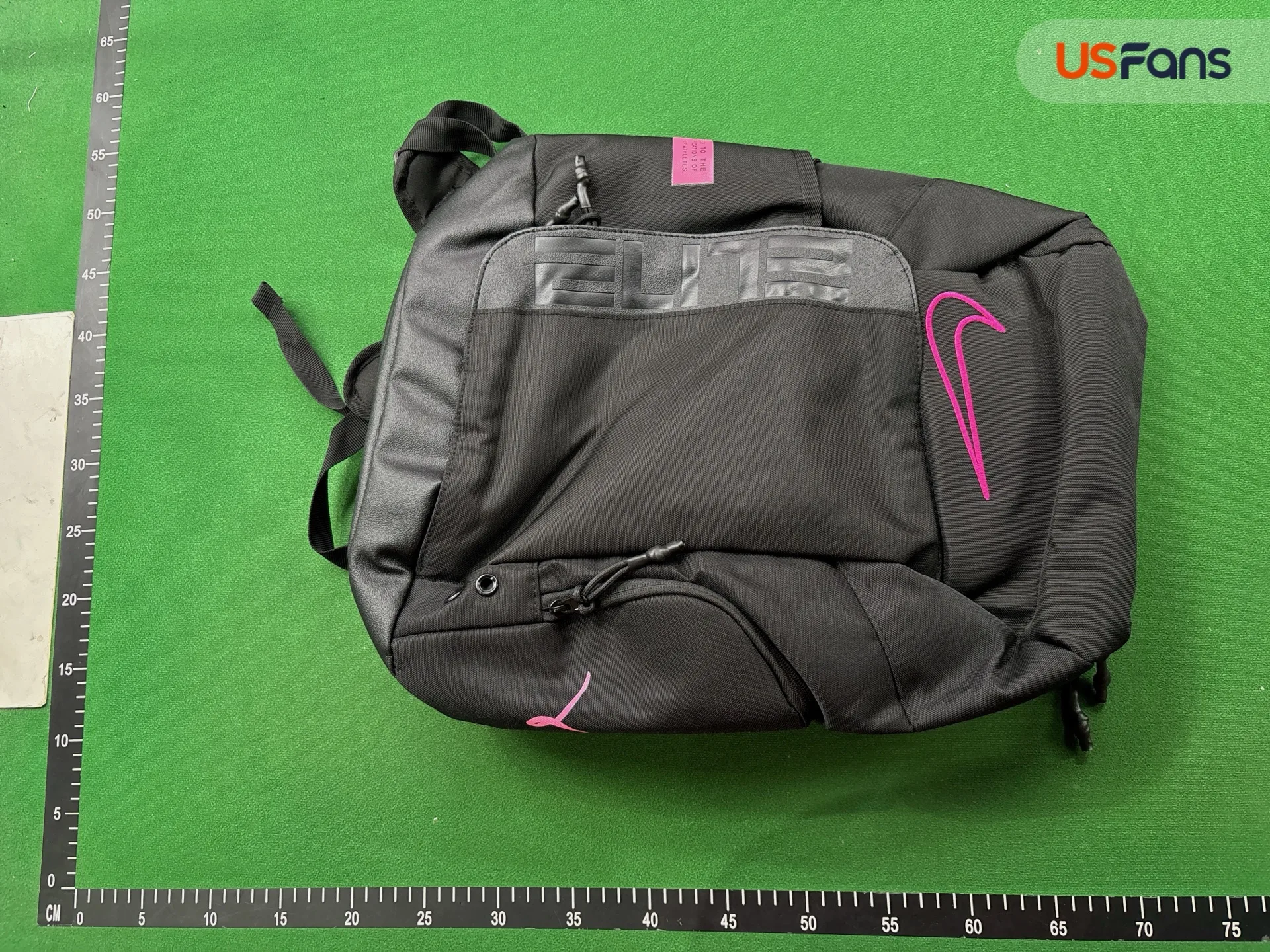
The front view shows a black backpack with pink details, ELITE lettering and visible zipper pulls. Trace each visible opening and compare its position with your selected option. The compartments are closed, so this view cannot establish interior layout or usable capacity.
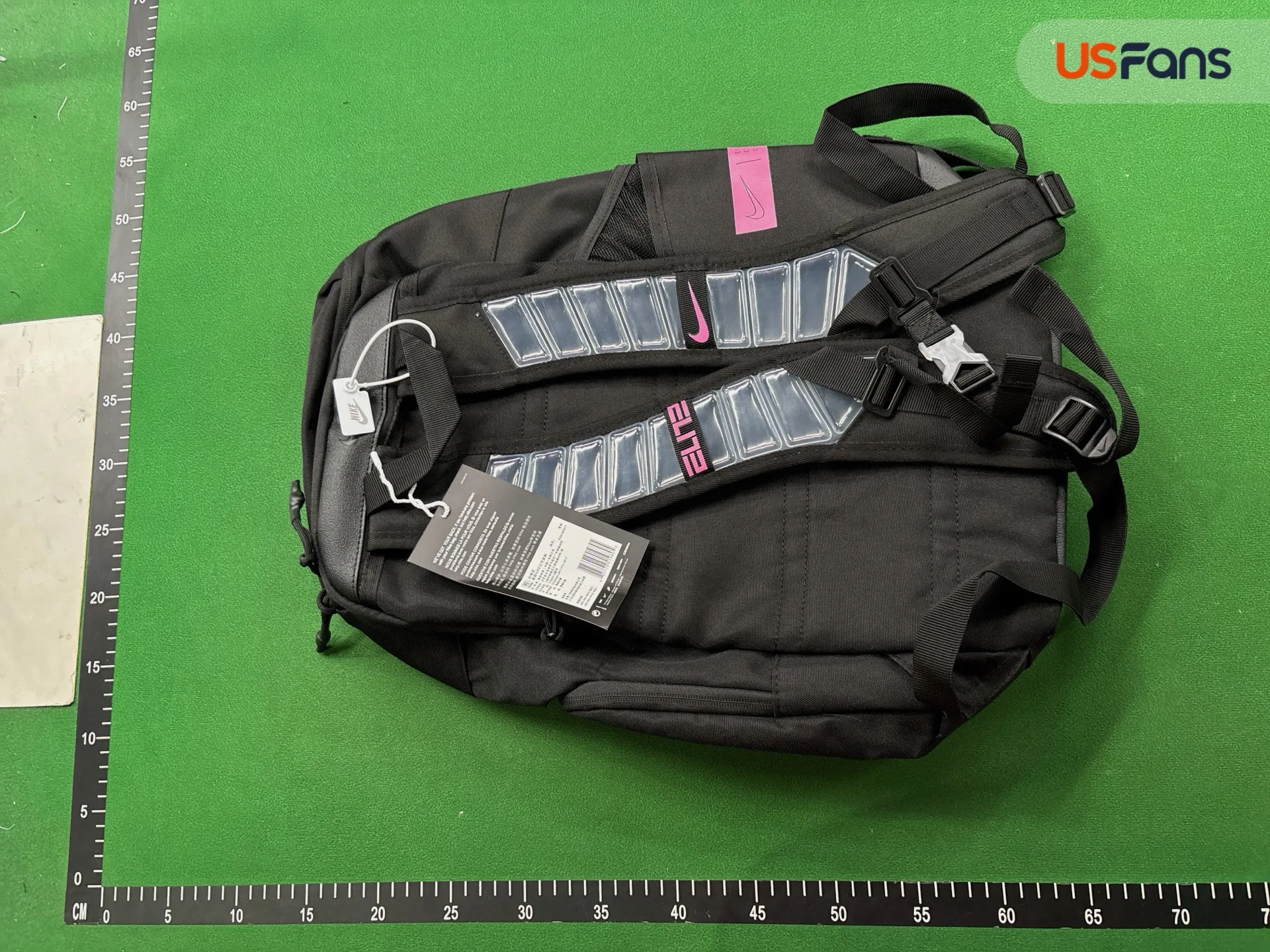
The rear view shows two shoulder straps, adjustment buckles and a chest strap. Check where the straps join the bag and request close-ups where tags or overlapping straps hide the stitching. A still photo cannot establish comfort or load-bearing strength.
View listing & more QC photos ↗For your bag: request an open-compartment view, usable dimensions and close-ups of both upper strap joins. Confirm the exact color and included accessories before shipping.
The blue Coach bag display shows several pieces together. Before comparing its price with a single bag, confirm what the selected option includes: the main bag, a smaller pouch, a detachable strap, any dust bag and any box. Save that list with the option picture so you can check the pieces that arrive at the warehouse.
For a structured bag, ask how its shape and corners will be protected. For a softer bag, confirm whether folding it for a smaller parcel is suitable; do not assume every bag can be compressed without changing its appearance. Ask for the packed dimensions and weight before choosing a shipping route. The fees guide and shipping guide explain the other costs and route details to check on Kakobuy.
That size string alone cannot answer the question. The pink shoulder bag shown here does not define the unit or dimension order in its size option. Confirm those first, then compare the usable opening and interior with your phone, wallet or other items. Follow the space and measurement steps above.
Only if the included strap, its adjustment range and the attachment points suit that position. Ask for the usable strap length and compare it with a bag you wear across the body. A photo of a short handle or a detachable strap does not establish the full adjustment range.
Confirm the contents of your exact option on Kakobuy. A display may show several pieces or packaging that is sold separately. Save the agreed contents, then count those pieces in your own warehouse photos before shipment.
No. Photos can show the surface, visible edges, stitching and closures. Ask separately for the material description and evidence for any water-resistance claim you need. Neither a patterned finish nor a brand name establishes the material or performance.
Open bags and backpacks with QC photos, then view the photo sets on a product page. Check the original date and the recorded option as well as the pictures. Older photos may show a different option or an earlier version.
Open a product and select “Buy on Kakobuy.” Match the shape, color, size and included pieces again, then confirm the current price and availability before paying there. Apex is an independent catalog; the buying guide explains the platform steps.
Explore the complete bag collection or browse bags with QC photos. For belts, jewelry and other wearable extras, visit Accessories.